Top AI agents in 2026: the main categories and how to choose
A practical map of the AI agent market in 2026: coding agents, general assistants with agent modes, enterprise agent platforms, automation tools and developer frameworks, with criteria for choosing the right one.
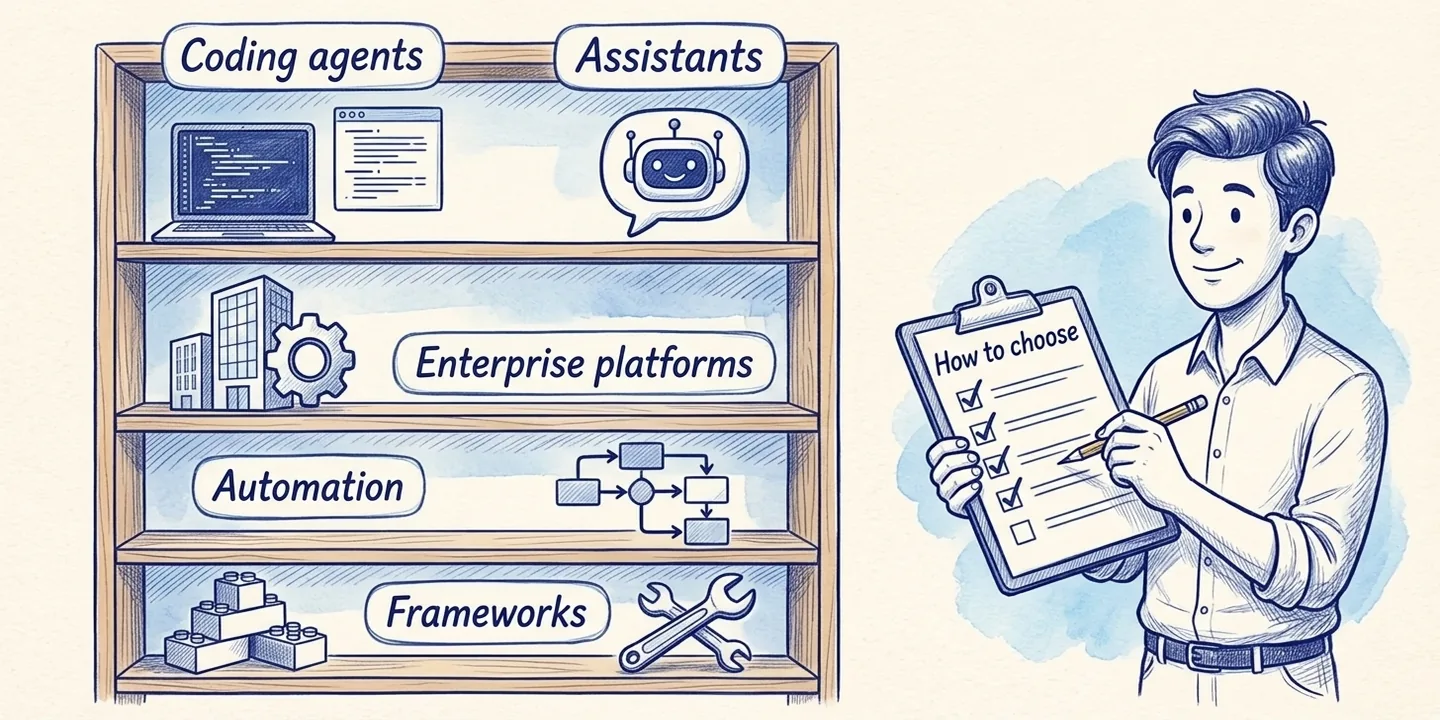
Every software vendor now sells an “AI agent”, and lists of the “best AI agents” go out of date within months. A more useful approach is to understand the categories, know the main names in each, and judge any product against the same criteria. This article does that, as of November 2026.
The products below are examples, not a ranking. Features, names and prices change quickly, so check the current state before you decide, and always test with your own tasks.
The five categories
| Category | What it is for | Examples | Who uses it |
|---|---|---|---|
| Coding agents | Changing, testing and reviewing code | Claude Code, OpenAI Codex, GitHub Copilot’s coding agent, Cursor, Google’s Jules | Developers and tech teams |
| Assistants with agent modes | Research, browsing and tasks from a chat | ChatGPT agent mode, Claude with tools and computer use, Gemini | Individuals and teams |
| Enterprise agent platforms | Agents inside the tools a company already runs | Microsoft Copilot Studio, Salesforce Agentforce, ServiceNow AI Agents, Google Gemini Enterprise | Large organisations |
| Automation tools with AI agents | Business workflows with AI steps | n8n, Zapier, Make | Operations teams, small businesses |
| Developer frameworks | Building custom agents | Claude Agent SDK, OpenAI Agents SDK, LangGraph, CrewAI, Google ADK, Microsoft Agent Framework | Development teams |
Coding agents
This is the most mature category, because code gives fast, objective feedback: tests pass or fail. The leading tools read a whole repository, plan a change across several files, run commands and tests, and propose the result for review. Some run in the terminal or editor next to the developer; others take a ticket and work in the cloud, then open a pull request.
What to compare: how well it handles your codebase’s size and conventions, how it runs your tests, what it is allowed to execute, and how easy its changes are to review.
Assistants with agent modes
The big chat assistants can now act: search the web and read pages, run code, work with files and, in some cases, operate a browser. They are useful for research, preparing documents and one-off tasks. They are not, by themselves, a way to automate a business process, because they run when a person asks and work with that person’s access.
What to compare: quality of research and sources, which tools and connectors they support, data controls for business accounts.
Enterprise agent platforms
The large business software vendors build agents into their own products: CRM, service management, office suites. Their strength is direct access to your data and permissions inside that ecosystem. Their weakness is the edges: tasks that span several vendors’ systems.
What to compare: which of your systems they reach natively, how permissions are inherited, pricing per agent or per action, and how much you can customise without a development project.
Automation tools with AI agents
Workflow tools such as n8n, Zapier and Make have added AI agent steps: inside a workflow, a model can choose which of several tools to call. This is often the fastest path for a small or mid-sized business to get value: the process stays visible, and the agent only decides where judgement is needed. n8n can also be self-hosted, which matters for data control.
What to compare: connectors to your systems, error handling and retries, self-hosting options, and how runs are logged.
Developer frameworks
When the agent is part of your product, or needs rules no platform supports, you build it. Frameworks provide the agent loop, tool definitions, memory and multi-agent patterns; you provide the tools, the guardrails and the hosting. The model providers’ own SDKs are usually the simplest start; graph-based frameworks help when the flow has many branches and checkpoints. See Claude agents for the options on Anthropic’s side.
What to compare: how much the framework hides, how easy it is to debug a run, model flexibility, and how mature its tracing and evaluation tools are.
Seven criteria for choosing any AI agent
- The task fit. Test on ten to twenty real cases, including messy ones. Demo tasks prove nothing.
- Access to your systems. Native connectors, an API or MCP support. An agent without access to your data only talks.
- Permissions. Can you limit what it reads and does, per user and per action?
- Human control. Approval steps, editable drafts and a clear way to stop it.
- Logs and traceability. Can you see each step and explain a decision afterwards?
- Data handling. Where data is processed and stored, retention, EU options and the data processing agreement.
- Cost per completed task. Not the subscription price alone, but cost per task done correctly, including reviews and corrections.
Buy, configure or build?
- Buy a ready agent when your task is common and the product covers it: coding, meeting notes, standard support.
- Configure a platform when your process lives mostly inside one ecosystem or one automation tool.
- Build when the agent is core to your product, spans many systems, or needs rules and data controls no product offers.
Many companies end up with a mix: a coding agent for the tech team, an automation tool for operations and one custom agent for the process that makes them different. See preconfigured AI vs custom development for the trade-offs.
Red flags when evaluating an agent
- Demos only on the vendor’s examples, never on yours.
- No way to see what the agent did, step by step.
- Broad permissions required “for it to work properly”.
- Pricing you cannot connect to the work done.
- Claims of full autonomy for tasks that involve money, customers or legal commitments.
- No plan for what happens when the agent is unsure.
How to run a two-week comparison
A short, structured test beats months of reading reviews.
- Pick one task that matters and happens often: for example, answering order-status questions, or preparing a first draft of a quote.
- Collect 20-30 real cases from the last few months, with the correct outcome for each. Include at least five difficult ones.
- Shortlist two or three options from different categories, for example an enterprise platform you already pay for, an automation tool with an agent step and a small custom agent.
- Give each the same access to test data and the same instructions, as far as the product allows.
- Run all cases and score them: correct, correct after a small edit, wrong, or handed over to a person. Note the time and cost per case.
- Look at the failures together. Some failures are fixable with better instructions or tools; others show a limit of the product. That difference is what you are really buying.
- Decide with the numbers in front of you: correct completions, cost per completed case and the effort to maintain the setup.
Two weeks is usually enough for a clear answer, and the test cases you collect become the regression set you will reuse every time the agent or the model changes.
Where the market is heading
Three trends shape the choice for the next year. First, standard connectors: the Model Context Protocol is becoming the common way to connect agents to tools, so a connector you build today is less likely to lock you into one vendor. Second, agents inside existing software: CRM, helpdesk and office suites will keep adding agents, which makes “configure what you already have” a stronger option every quarter. Third, better controls: approval steps, permission policies, audit logs and cost limits are moving from custom work into standard product features. When you compare options, give extra weight to these controls; they decide whether an agent can move from a pilot into daily work.
Frequently asked questions
Which AI agent is the best?
The one that completes your tasks correctly, safely and at an acceptable cost. That depends on the task, your systems and your data rules, which is why a short test on real cases matters more than any ranking.
Are free AI agents good enough for a business?
For personal productivity, often yes. For business processes, check the data terms: free tiers may use different retention and training rules than business plans.
Do I need several agents?
Usually not at the start. Pick one task with clear value, prove it works, then expand. See types of AI agents.
How long does it take to deploy an agent?
A configured agent on an existing platform can run a pilot in days or weeks. A custom agent that integrates several systems typically needs a few weeks to a few months, depending on the systems and the approval rules.
What to bring to a first conversation
Bring the task, the systems involved, your data constraints and a few real examples. We can then shortlist two or three options, test them on your cases and compare the cost per completed task. For the basics, see what AI agents are, and for choosing a vendor, choosing an AI provider.